Iota. Addiction tracking, cravings and recovery
Track cravings, relapses, triggers, money saved — and watch the distance grow, day after day.
Iota. is entirely free. Pro bono. No paywall, no subscription, no accounts, no ads.
 Coming soon

cravings, relapses and recovery
iPhone
Apple Watch
Report
What Iota. is
What you can do with Iota.
Support
Getting started
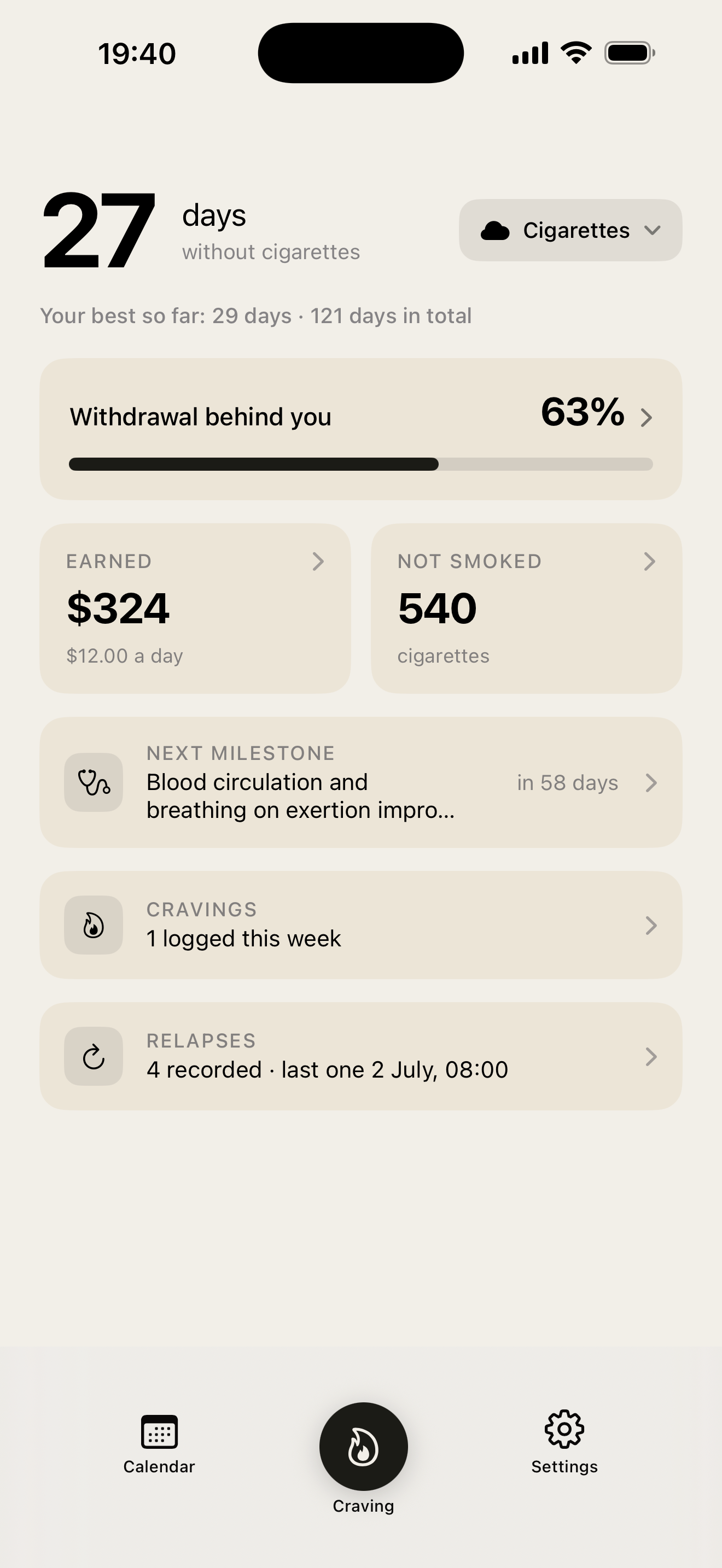
On first launch, choose what you are leaving behind: cigarettes, vape, alcohol, cannabis, junk food... or anything you name yourself. Set your usual consumption and its cost, and the counter starts from your quit date. You can track several things at once.
Cravings
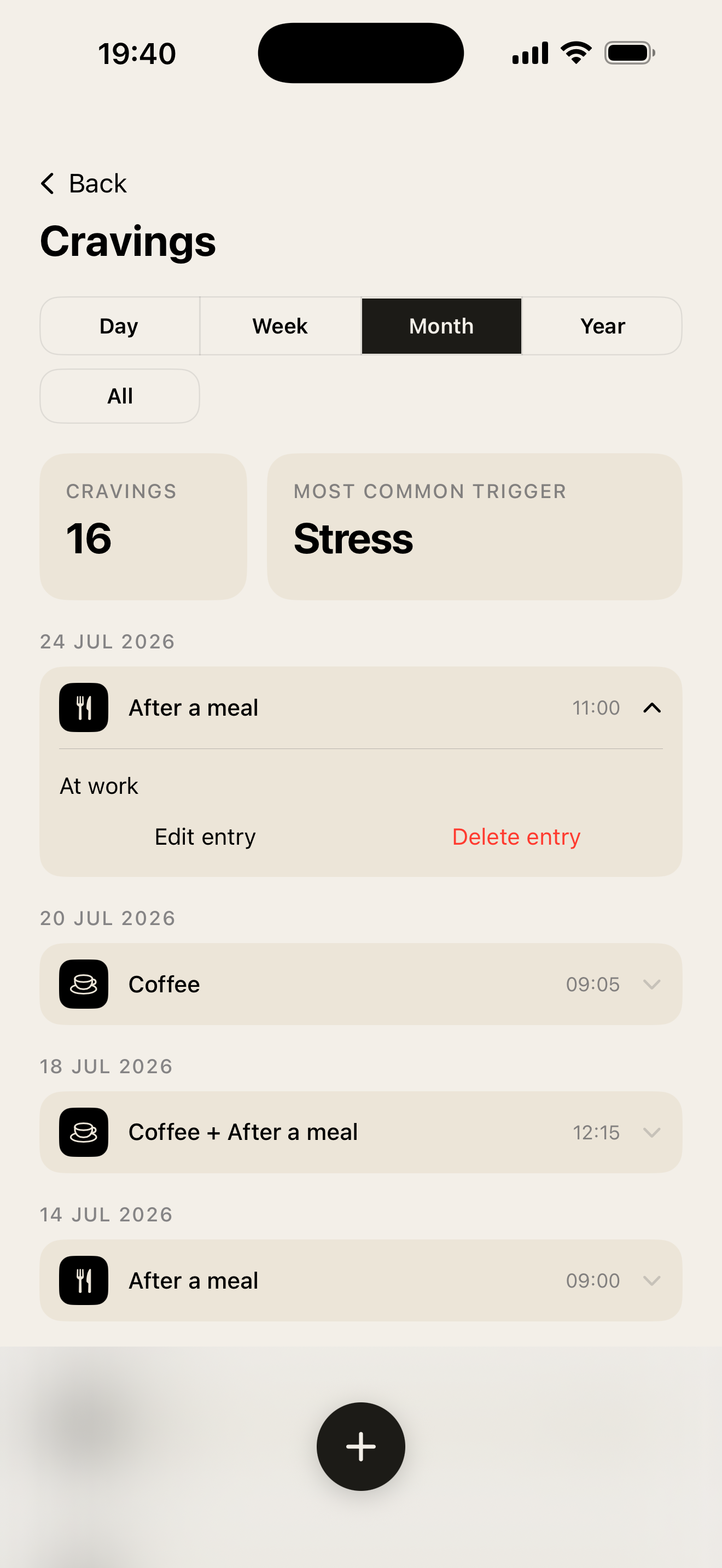
Tap the craving button when the urge hits. The screen goes dark and stays with you: the relapse button only unlocks after five minutes, because most cravings do not survive that long. Nothing is forced: you can close the screen at any time. Once the craving is logged, Iota. asks what set it off while the memory is still fresh.
Relapses
A relapse is recorded with its date, its quantity and, if you want, its triggers and a note. Your current run goes back to zero, but nothing is deleted: the history remains, and the relapse list shows the intervals between them so you can see whether they are growing further apart.
Triggers
Go to Settings → Manage triggers to add, rename, reorder or remove the triggers you attach to cravings and relapses — stress, boredom, social settings... or whatever you want.
Progress
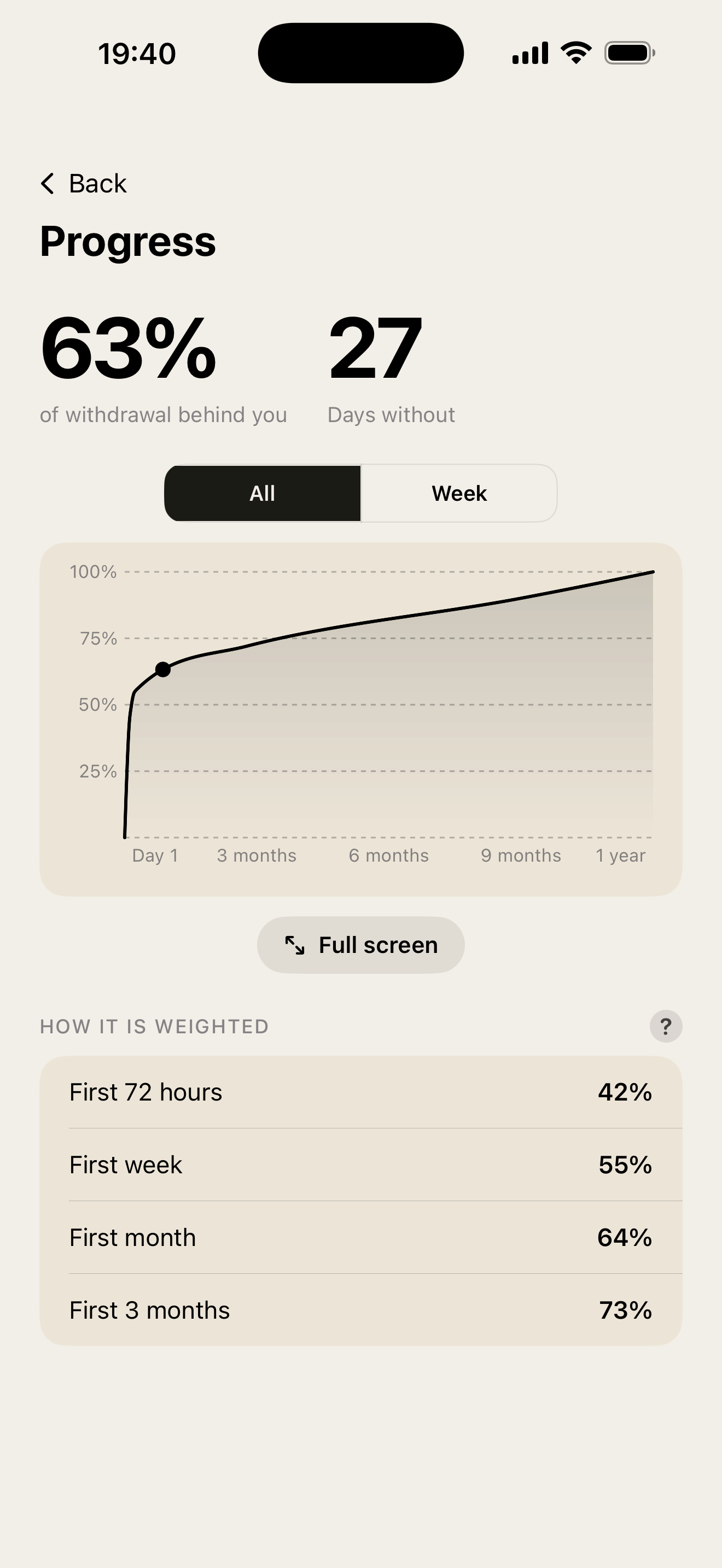
The progress page shows time since your last consumption, your current run and your longest stretch, and the trend of your cravings and relapses over the week, month, year, or the whole history. Use the arrows to move between months.
Money and quantity
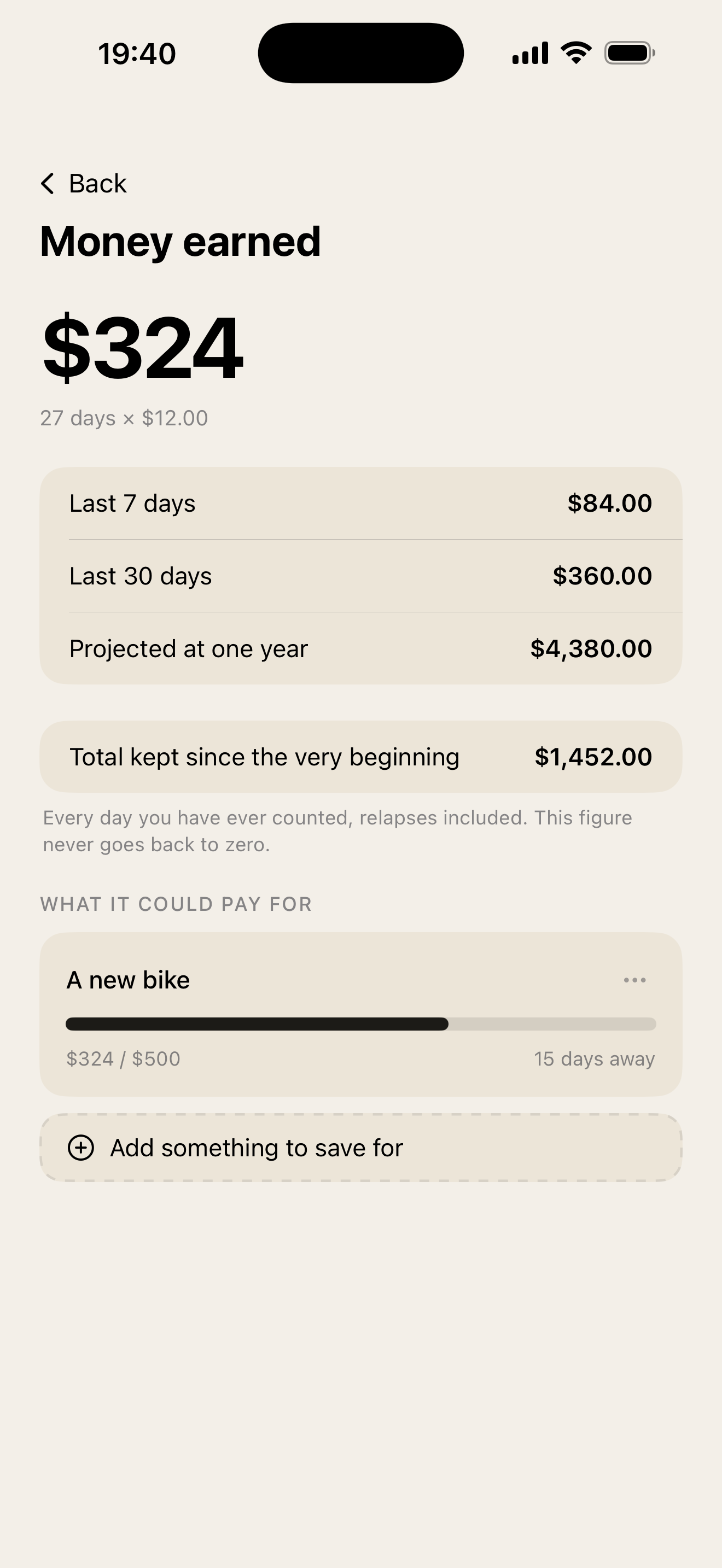
From your declared consumption and its unit price, Iota. computes the money you have not spent and the quantity you have not consumed since you started. The "?" button next to the amount explains what one unit means for each addiction — how many cigarettes in a pack, what an alcohol unit is, the usual bottle sizes, etc.
Health
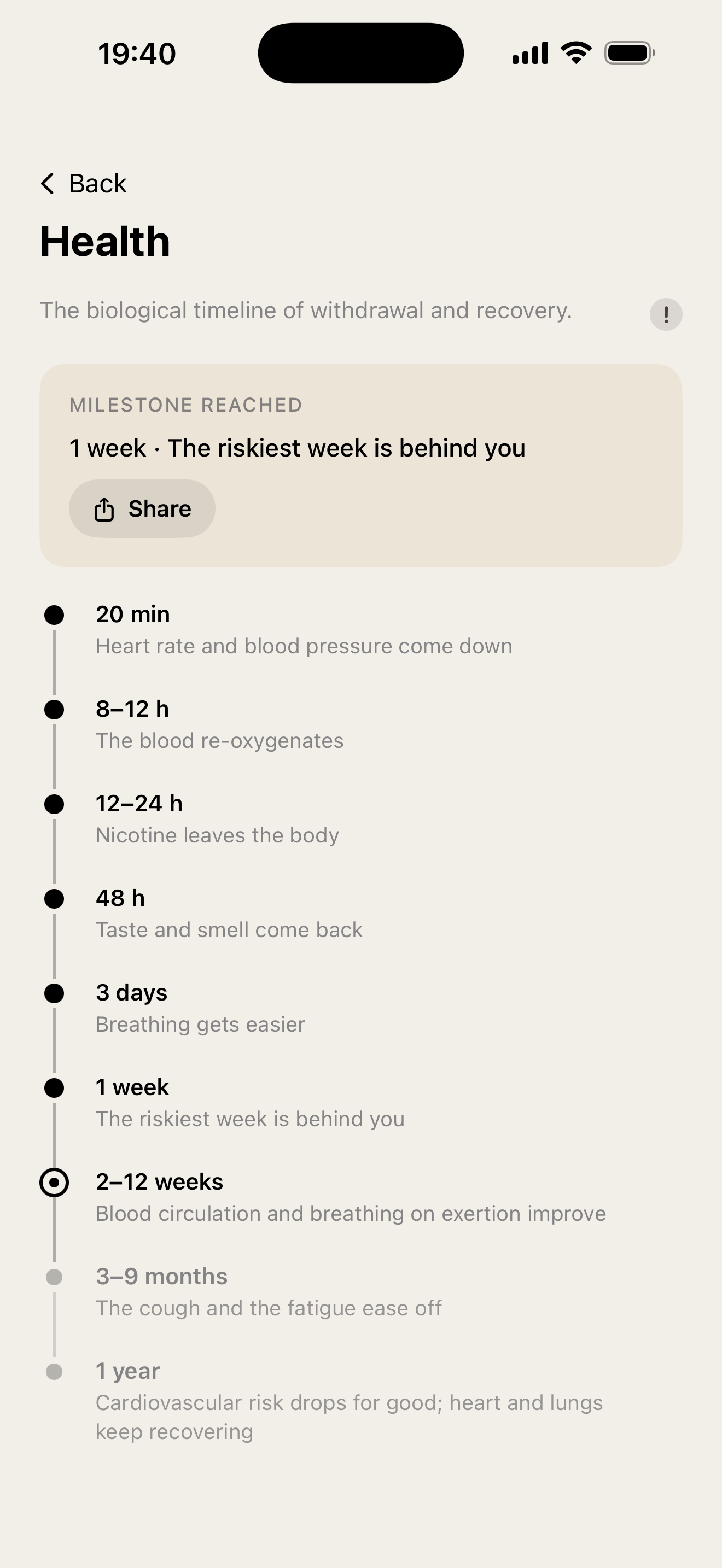
The health page lists recovery milestones for what you are quitting, with the time at which each is usually reached, and draws a withdrawal curve estimating where you stand. These timelines come from the published cessation literature: they are approximate by construction and vary from one person to the next. They are not clinical advice.
Calendar view
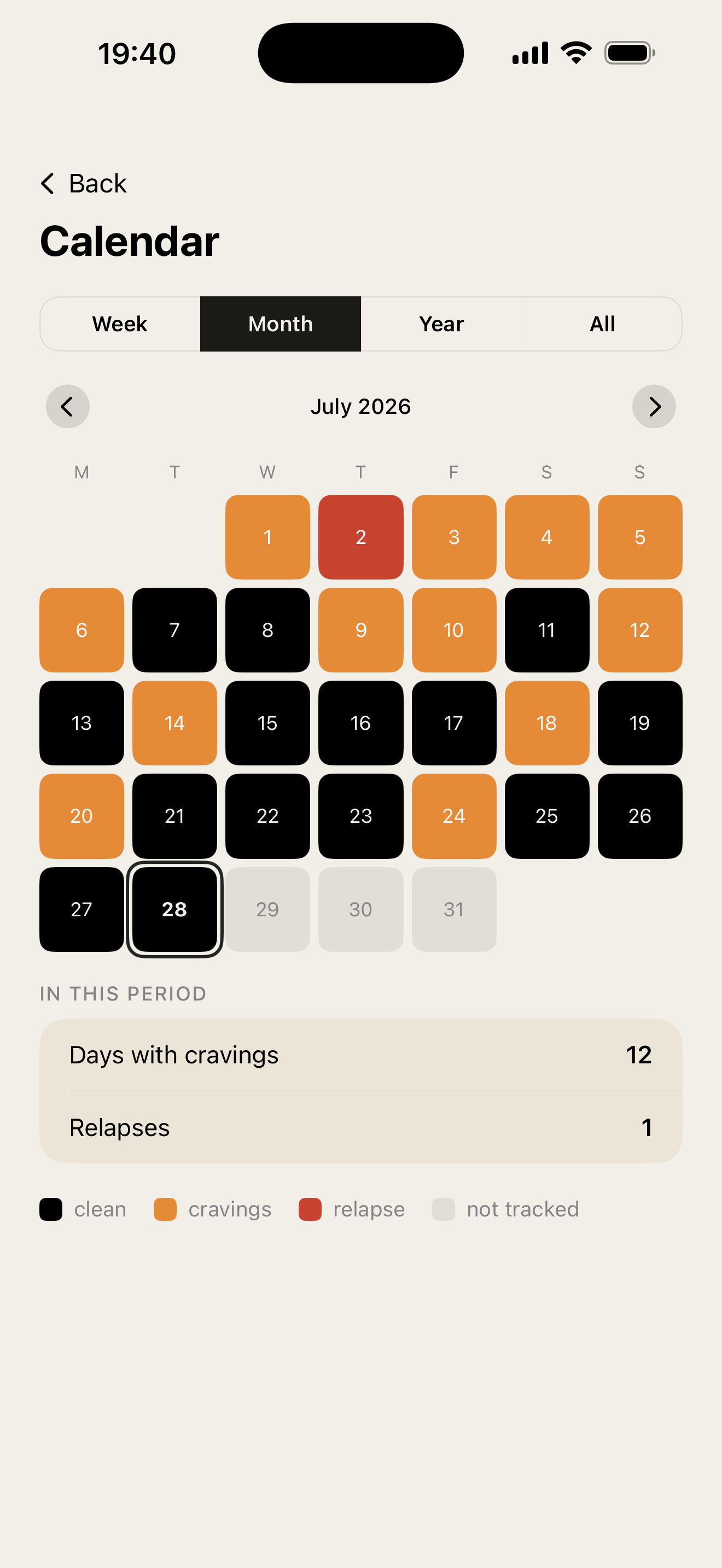
The calendar helps you visualize days with cravings, relapses, or clean days. Use the arrows to move between months, and tap any day to see or edit its entries.
Reminders
Go to Settings → Reminders to schedule up to five reminders a day, at the times you choose. Pick their tone — gentle, tough, or your own words — and each notification shows your counter, so you can see how far you have come at a glance. Reminders can be turned on or off at any time, and Iota. never sends anything you have not asked for.
Exporting your data
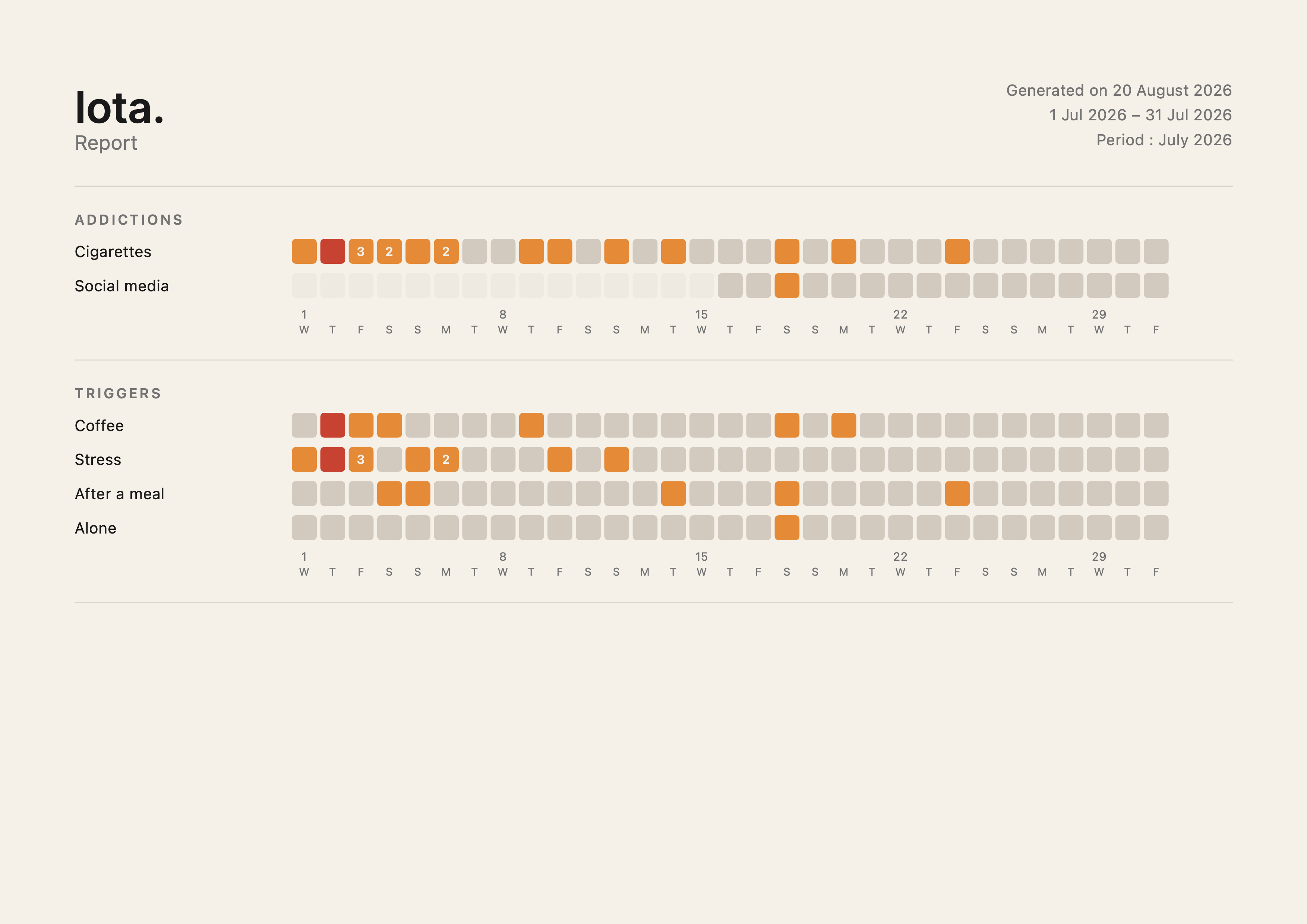
Go to Settings → Export data to download your history as a CSV or as a PDF report. The report gathers your runs, your cravings and relapses, your triggers, and what you have earned over the chosen period.
Watch app
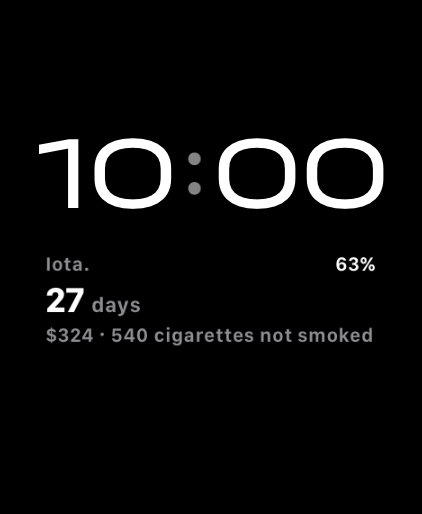
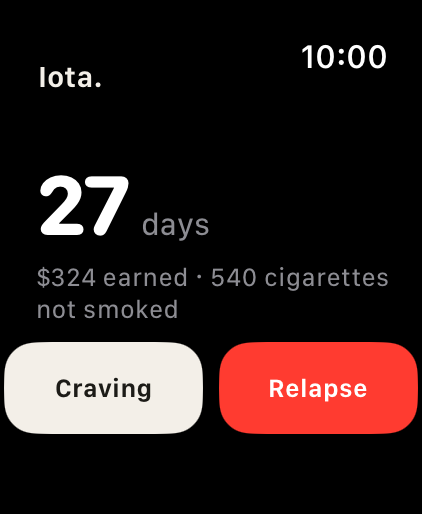
If you have an Apple Watch, Iota. lets you open the craving screen and record a relapse directly from your wrist. Data syncs automatically with your iPhone.
Complications and widgets
Complications put your current run on the watch face, and home screen widgets do the same on iPhone: time since your last consumption, and what you have earned so far.
Legal
I. Privacy Policy
Iota. is designed with your privacy in mind. All data you enter — including cravings, relapses, triggers and quantities — is stored exclusively on your device and, if iCloud is enabled, in your personal iCloud account. No data is ever transmitted to our servers or shared with third parties.
We do not collect analytics, usage data, advertising identifiers, or any personally identifiable information. We have no access to your data.
Iota. does not use third-party SDKs, trackers, or advertising networks. The app works fully offline; syncing through your own iCloud account is optional.
II. Data Deletion
You retain full control over your data at all times.
To delete your data: on iOS, uninstall the App. If iCloud is enabled, also delete the app's data in Settings → [your name] → iCloud → Manage Account Storage.
This action is permanent and cannot be undone.
III. Health Disclaimer
Iota. is not a medical device and does not provide medical advice, diagnosis, or treatment. The recovery milestones and withdrawal curves it displays are drawn from published cessation literature and are approximate: they vary considerably from one person to the next.
Withdrawal can be medically dangerous and should be supervised by a healthcare professional. Speak to a doctor before you begin.
Contact
A question, a suggestion, or a bug to report? Send a message.